

Payroll done. EPF, SOCSO, PCB all sorted.
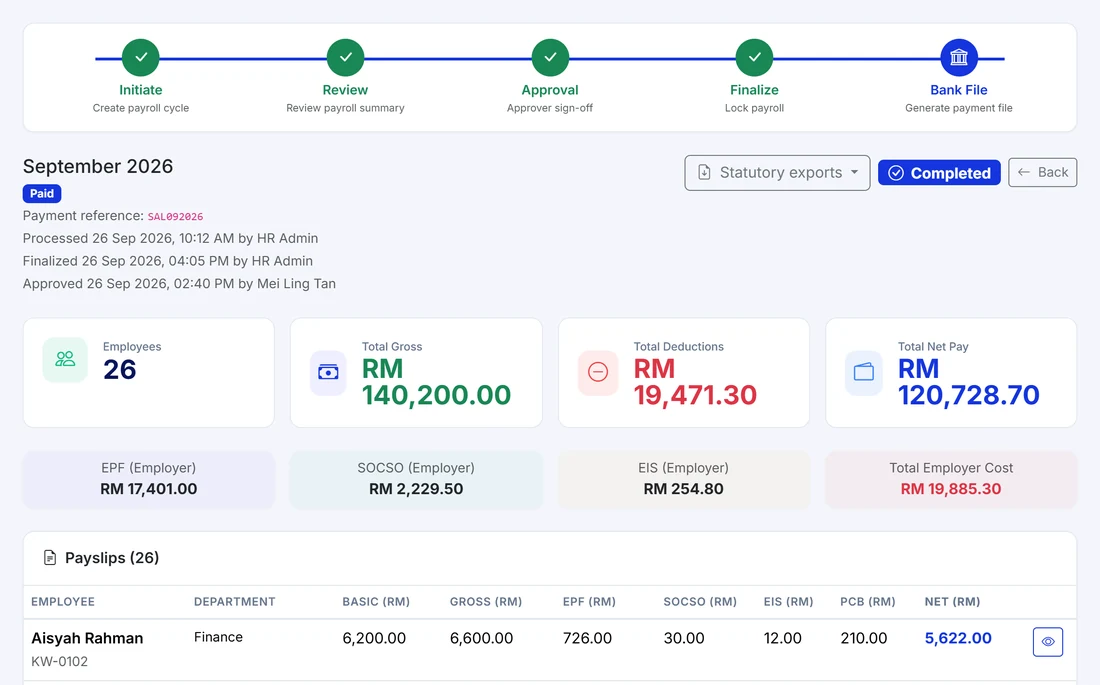
Kiplework works out every salary, allowance and deduction for you. EPF, SOCSO, EIS, PCB and HRDF follow the official rate tables. Payslips go straight to your staff's phone. Bank file ready in one click.
Made for the person who actually runs payroll.
Your HR team works in the web portal. Your staff see the result in the app.
HR admin
Run the month, check the statutory figures, publish payslips and generate the EPF, SOCSO and LHDN forms. All in one place, no more juggling Excel.
Finance
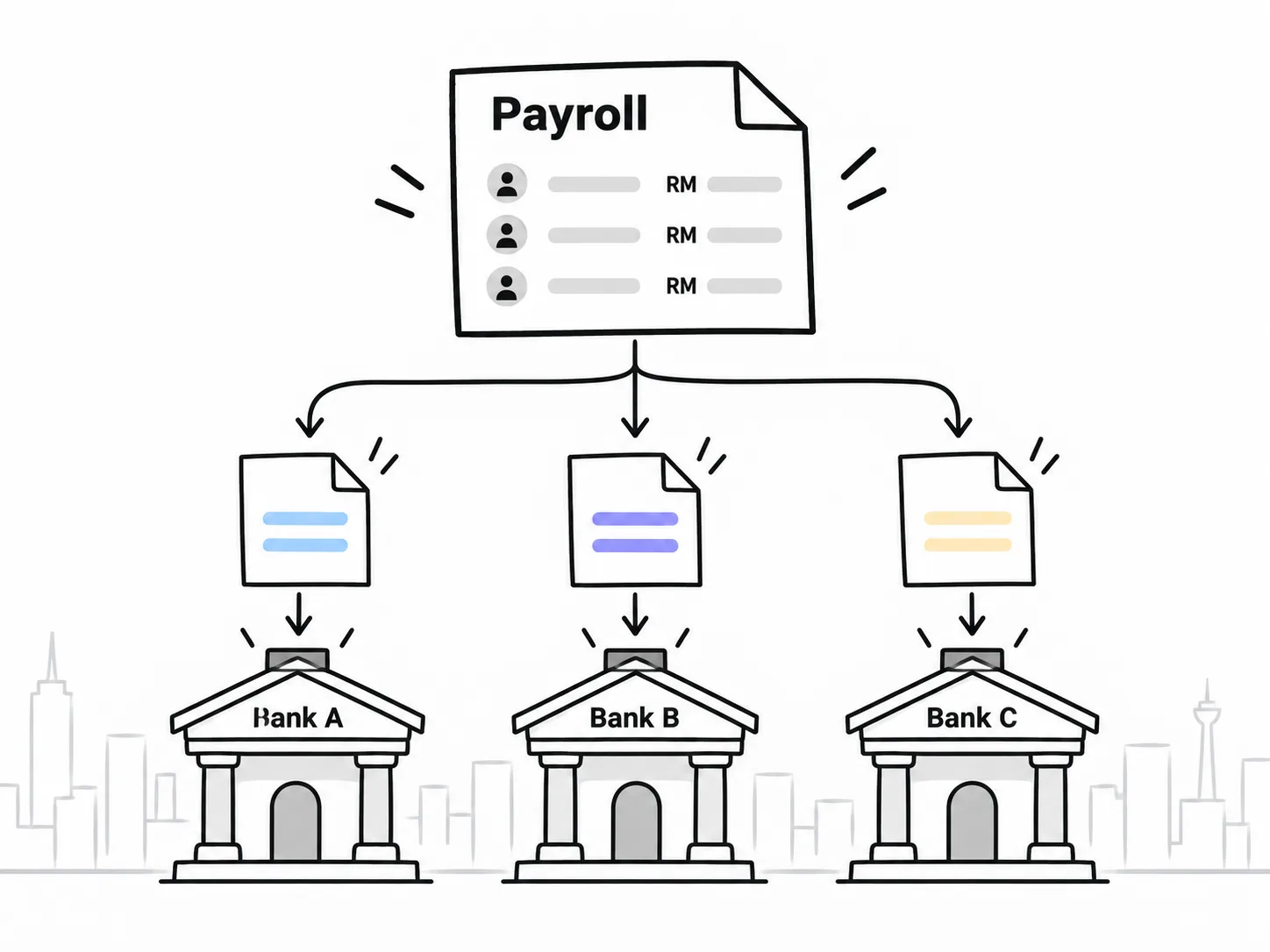
One bank file per run, in the format Malaysian banks accept. Full history of every run, plus an audit log of who changed what.

Outlet and branch managers
See reports by outlet, department or team. Pay a bonus to one outlet without touching the rest.
Five steps. Same every month.
Key in your EPF, SOCSO, LHDN and HRDF registration numbers once. After that, this is the whole routine.
Statutory, done the official way.
Every contribution follows the published Malaysian rate tables, updated for the current year. No hard-coded percentages.
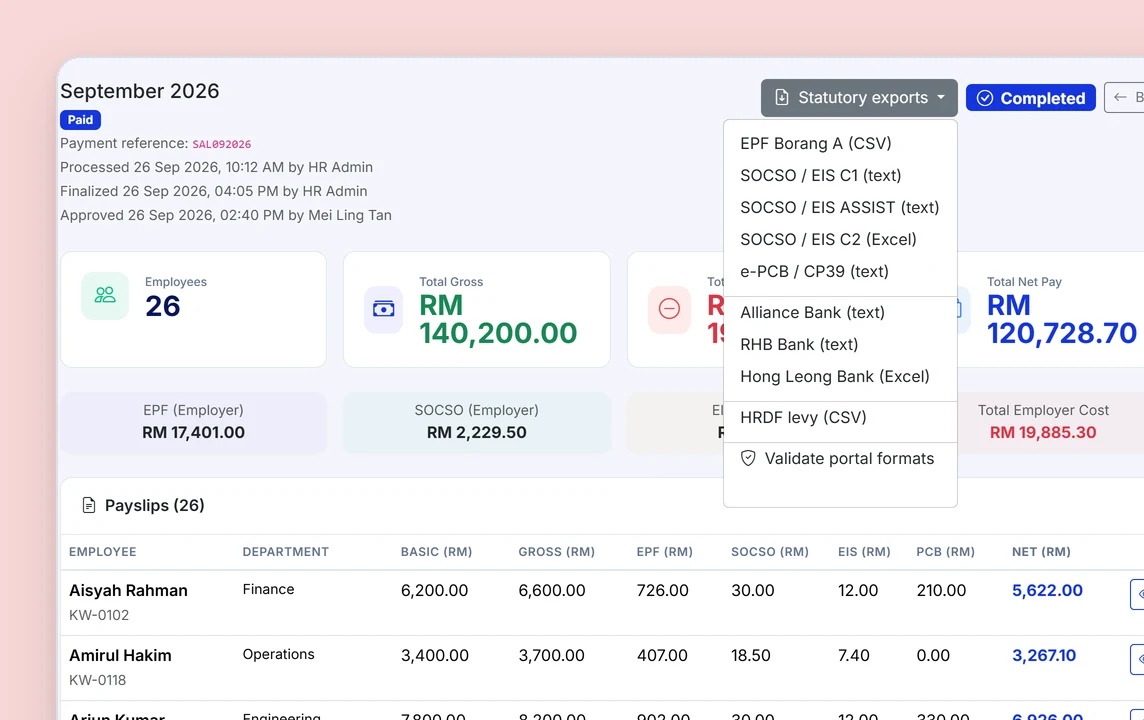
Kiplework works out the figures and prepares the files. Submitting to EPF, PERKESO and LHDN, and paying on time, is still your company's responsibility.
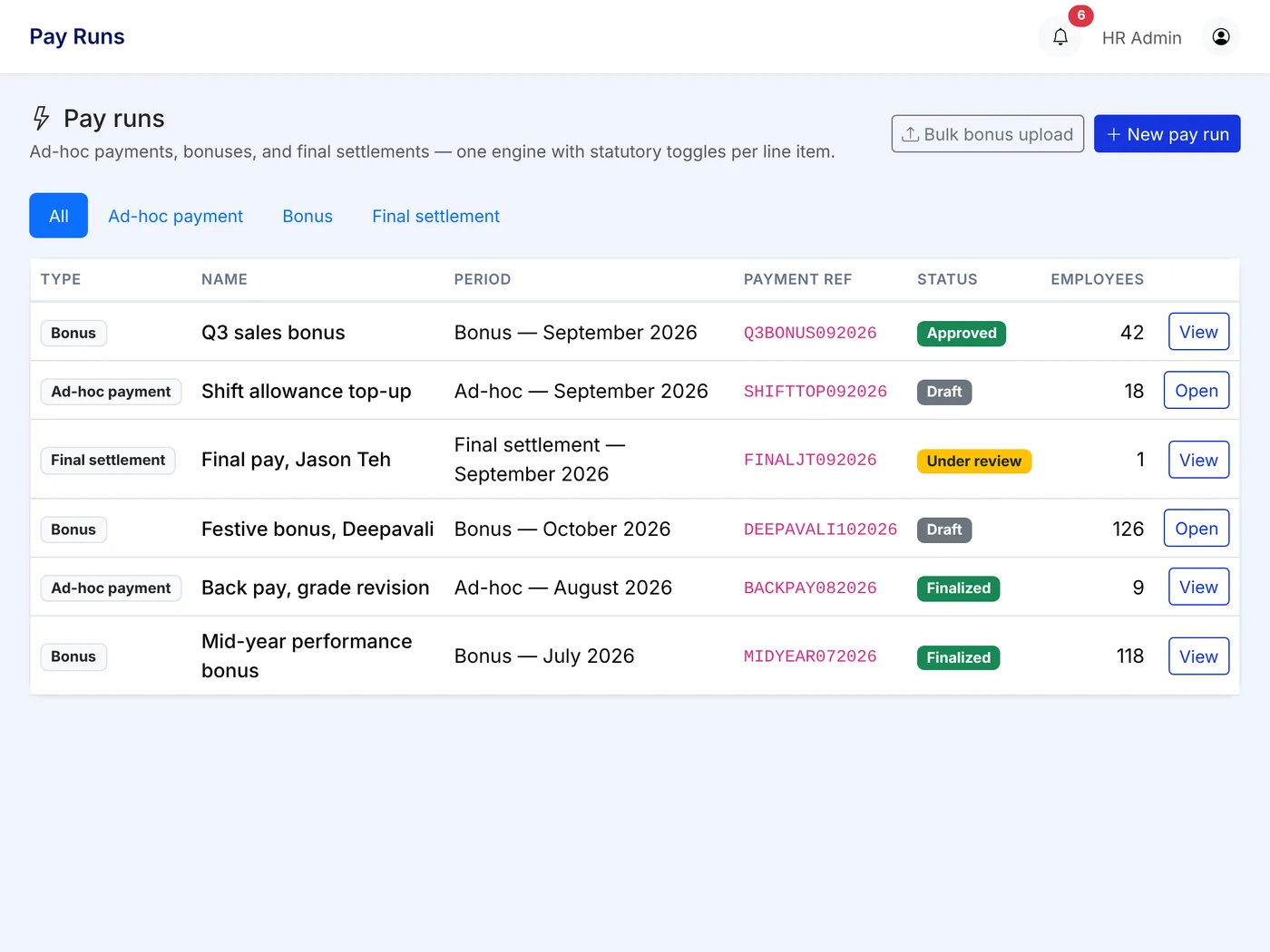
Bonus and corrections, without touching the monthly run.
Pick the people, pick the reason, set how tax and statutory apply, and pay.
Payroll that is connected to the money.
Claims go into payroll
Approved claims can be paid in the monthly bank file, or straight into the staff's Kiplepay wallet the same day. You decide per claim type.
Payslips where staff already are
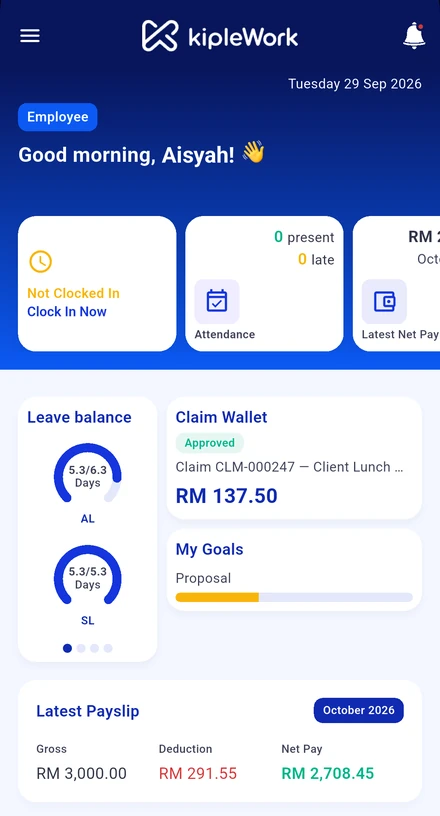
The payslip lands in the same app as the wallet, leave and claims. No email, no hunting for PDFs. Staff can download it themselves for a loan application.
Built by a regulated payments company
Kiplework is built by Kiplepay Sdn Bhd, an e-money issuer approved by Bank Negara Malaysia. The wallet under the payroll is that same regulated wallet.
What you get from day one.


Payroll questions people ask us.
Where do I find my payslip?
Open the Payslip tab and select the month. Your full breakdown is shown in the app and can be downloaded as a PDF or shared, for example for a loan application.
What do the deductions on my payslip mean?
EPF is your retirement fund contribution, SOCSO covers workplace injury and invalidity, EIS is employment insurance, and PCB is your monthly income tax deduction. Each is shown with your portion and your employer's portion.
Can we move to Kiplework in the middle of the year?
Yes. Staff are bulk imported with an Excel template. Importing earlier payroll months so year-to-date figures carry over is on the roadmap, so ask us about timing if you plan to switch mid-year.
Why does my payslip say Off-Cycle?
It came from a payroll run outside the normal monthly cycle, for example a mid-month bonus. It is separate from your regular monthly payslip.
Does my payslip show year-to-date figures?
A year-to-date section on the payslip, showing cumulative earnings and deductions since 1 January, is on the roadmap.
How are EPF, SOCSO, EIS, PCB, SKBBK and HRD Corp levy calculated?
Each uses the official Malaysian statutory rate tables. EPF and SOCSO use wage-band lookups below their thresholds, EIS and the HRD Corp levy use percentage formulas, and PCB follows LHDN's computerised calculation method.
What happens when a statutory rate changes?
Rate tables are updated to reflect the current year's official published rates. Statutory calculations do not rely on hard-coded values.
Can I run payroll outside the normal monthly cycle?
Yes, with an off-cycle run for bonuses, ad hoc payments or corrections. You can target specific staff, a department or a custom list.
See a real pay run.
Register your interest and we will run one month of payroll with you on the actual product, using your own statutory setup.