


Snap the receipt. Paid the same day.
Staff submit claims from the phone with the receipt attached. Managers approve in the app. Approved claims go straight into the staff's Kiplepay wallet, or into the next bank file. You set the limits.
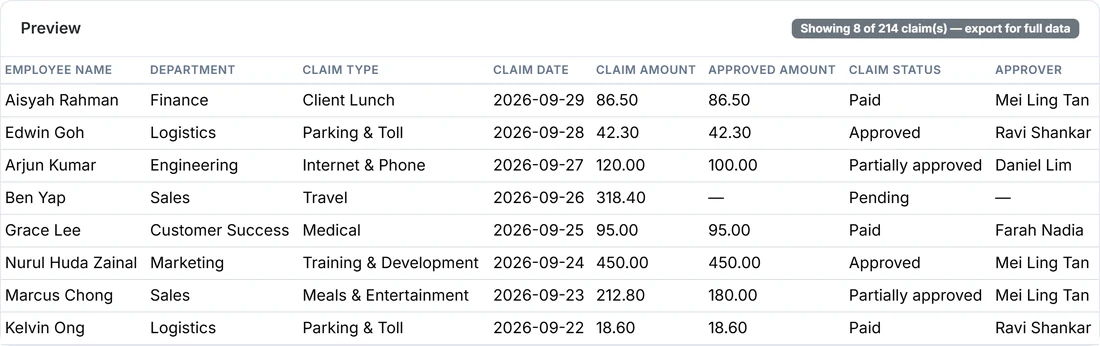
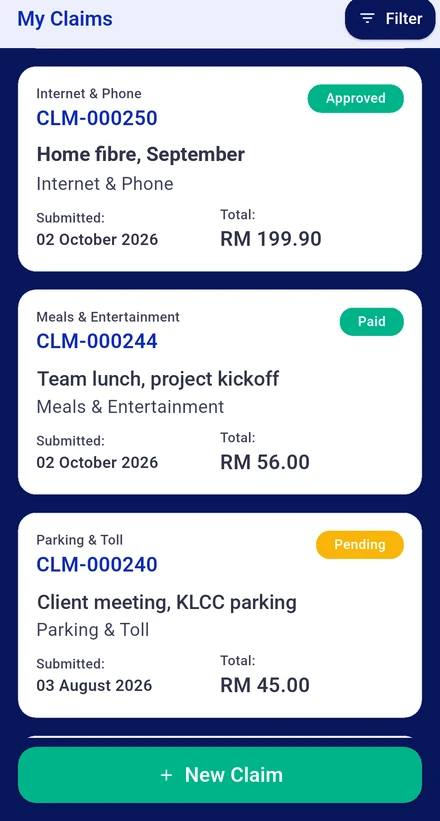
Made for staff who are never at a desk.
Outlet crew, riders, sales reps and site teams claim from the phone. Managers approve from the phone. HR sets the rules once.

Staff on the ground
Pick the claim type, key in the amount, snap the receipt, submit. See who is holding the claim and when the money lands, without asking anyone.

Managers
Only the claims that need you show up. Check the receipt, approve or reject with a reason, done in under a minute from anywhere.
HR and Finance
Set the RM limits per tier, name the approvers, cap medical and other types per year. Export a claims report with the columns you want.
From receipt to wallet in five steps.
No forms, no stapling, no chasing.
Three tiers. Your limits.
You decide the RM amount for each tier in the HR portal. Kiplework routes every claim accordingly.
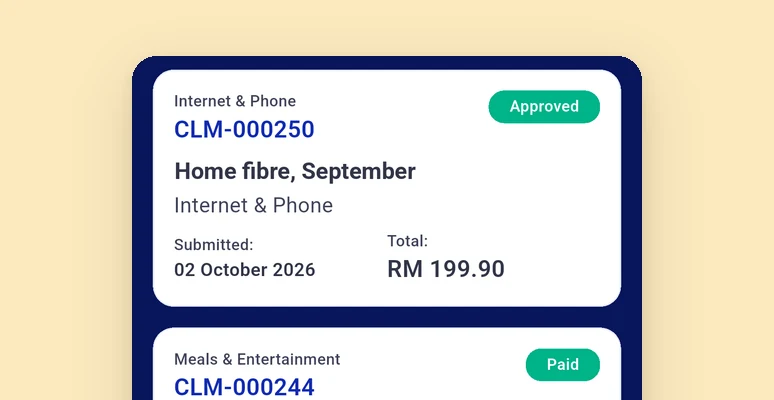

Thresholds, caps and approvers are set by your company in the HR portal. Kiplework applies them; it does not decide them.
Instant payout, done properly.
The money comes from your company's prefund account with Kiplepay. Nothing is paid that you have not put in.
Other HR systems approve claims. This one pays them.
Money on approval, not month end
Staff who paid out of pocket for the company get it back the same day, into a wallet they can spend with DuitNow QR anywhere.
A regulated wallet underneath
The wallet is issued by Kiplepay Sdn Bhd, an e-money issuer approved by Bank Negara Malaysia. Staff funds sit in a regulated e-money wallet, not a spreadsheet.
Claims land in payroll
Bank account claims flow into the monthly run and the bank file. No re-keying between two systems.
What you get from day one.


Claims questions people ask us.
How fast is an instant claim, really?
Tier 1 and Tier 2 claims paid to e-Wallet are credited on approval, as long as the staff member is verified and your prefund balance is sufficient. Tier 3 claims need manager plus HR approval and go by bank transfer.
What types of claims can I submit?
That depends on what your company has set up. Common types include medical, travel, mileage and petrol claims.
What is the difference between Tier 1, Tier 2 and Tier 3 claims?
Tier 1 claims, the small ones, approve automatically. Tier 2 needs one manager approval. Tier 3 needs manager plus HR approval and is paid by bank transfer. Your company sets the ringgit thresholds.
Can I choose how a claim is paid to me?
Yes. When you submit, choose e-Wallet, which pays on approval and needs eKYC, or Bank Account, which Finance processes on its standard schedule.
Why would a claim show a payout discrepancy?
It usually points to a low prefund balance blocking the transfer, or a mismatch between the approved amount and what was credited. Check the wallet and prefund transaction ledgers to reconcile.
Why does my claim say Payout Pending?
It usually means your company's prefund balance is temporarily low. HR is notified automatically and the payout goes through once it is topped up.
My claim was rejected. What do I do?
Check the rejection reason in the claim detail. Depending on the reason, you may be able to fix the issue, for example a clearer receipt, and resubmit.
Is there a limit to how much I can claim?
Some claim types, medical for example, may have a yearly cap set by your company. You can see your usage against the cap before you submit.
See a claim get paid.
Register your interest and we will run one claim end to end with you, from receipt to wallet, on the actual product.